Friday, November 17, 2017

My Last Workshop to Jr. in College

Conducted Workshop as Microsoft Student Partner at the University 
MSPs Involved: Sheryl Bernard and Harshit Yadav
Event Date: 12/10/2017
No. of Attendees: 30+
Duration: 2 hr
Topics covered:
Microsoft Products and Programs
Imagine Cup
MSP program
Microsoft Azure
Imagine Cup
Office Lens
Visual Studio Code
Git
A Hands on Session was also Conducted in which Students Learned to use Visual Studio Code and made a Github Page
PS:Feedback was collected at the end of the session and a small assignment sort of has been given to students to explore more about Microsoft and Azure


Monday, September 04, 2017

The Angular Day -3/9/17


Attended an amazing workshop on Angular JS by DJ Sir [website , twitter] hosted by Microsoft Technical Community NCR at MS Gurgaon office which included introduction to web apps and some important insights and takeaways from Javascipt along the the workshop agenda which was
1) Introduction SPA
2) Installing NodeJS
3) Installing Angular CLI
4) Creating project
5) Adding Component using CLI
6) Creating first component
7) Using Component
8) Interpolation
9) Property Bidning
10) Event Bidning
11) Two way Data Bidning
12) directives
13) *ngFor
14) *ngIf
15) Pipes
16) Custom pipes
17) Services 


The workshop today was my first intro to Angualr JS ,and found it really easy yet powerful,   looking forward for 2nd part of this workshop :)

Tuesday, August 08, 2017

IMAD Hasura — Week 2

Building your webapp
  1. Practical: SSH + Network experiments
  • Topics Covered : SSH ,
  • installing putty , login ,ifconfig,ipv4=2x32,ipv6=2x128 size address
  • ping, packet loss , round trip time , traceroute
  • plotting traceroute IP on MAP
  • Ping command being disabled by ICMP protocol
  • Video Link : Youtube 
  • Google Drive Link : Google Docs 
2.Practical: Building a webapp with nodejs and using git. Introduction to reverse proxies.
  • Deploying app how it works 
  • Forking project from github 
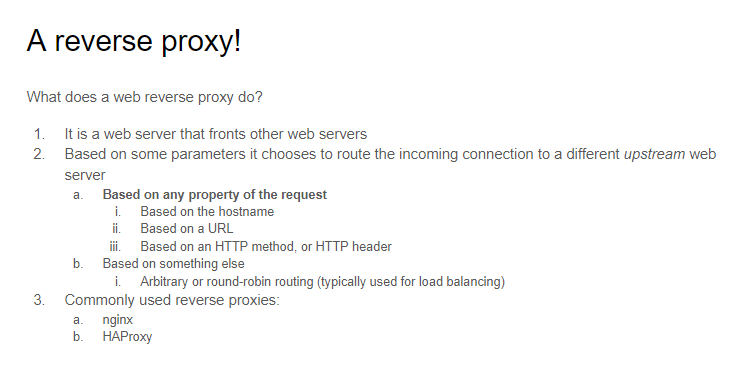
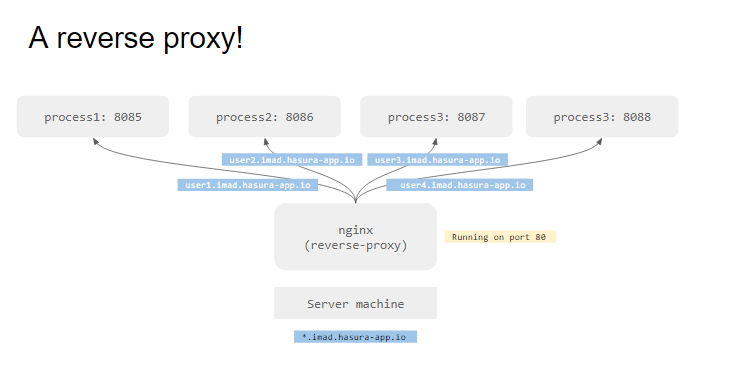
  • How do multiple domain work on same IP 1) Every User use different port number 2) Using the Reverse Proy 
  • Concept of Load Balancing using nginx
  • npm install to install all the dependencies
  • starting server on port 8080 by command node server.js
  • Video Link : Youtube
  • Google Drive Link : Google Docs
3.Practical: Introduction to server-side javascript and HTML/CSS
  • Server side programming to rediredt
  • introduction to HTMl
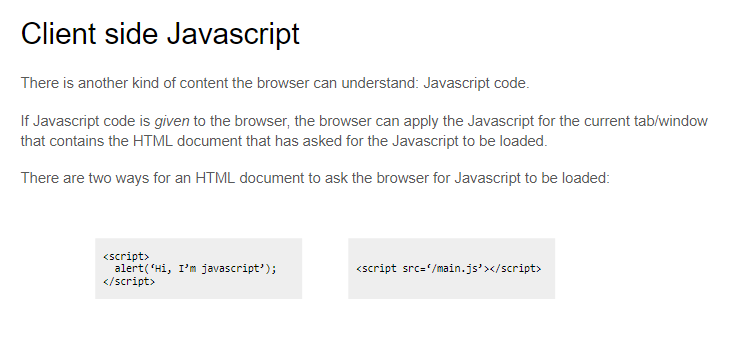
4.Practical: Introduction to client-side Javascript
HTTP request code 

Sunday, August 06, 2017

IMAD Hasura — Week 1

Week 1 Lectures: Introduction to the Internet
  1. Introduction to a Web App
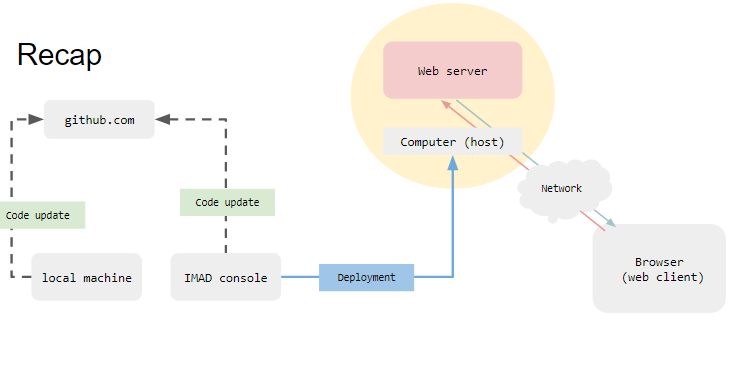
  • Topics Covered : What is a webapp , Web Client , Web Browser , URL , DNS ,Simple introduction to Network , ISP , Web Server 
  • Video Lecture : Youtube Link
  • Slide Link : Google Drive 
2. Building a web App
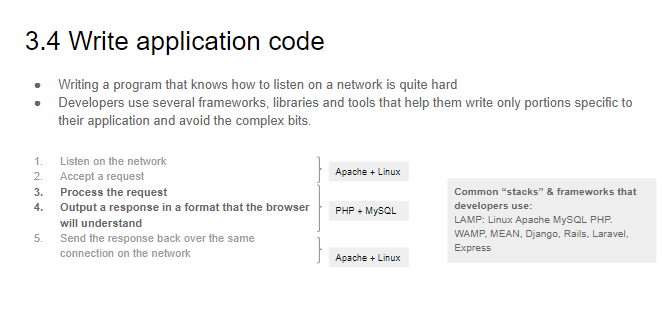
  • Topics Covered : Domain Names , Setting up a web server (Hosting or local),Setting up DNS , Writing application code(technology stack )
3. Networks
  • Topics Covered : Simple Network , IP network ,IP address , Port Numbers,Protocols
  • Video Lecture : Youtube Link
  • Slide Link : Google Drive
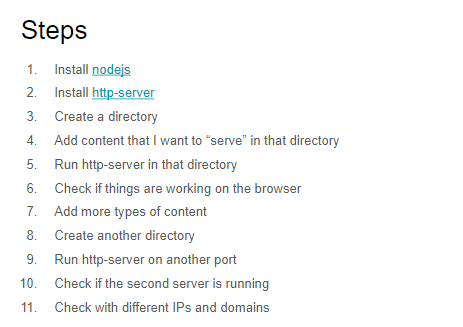
4. Practically running your own server
5. Protocols
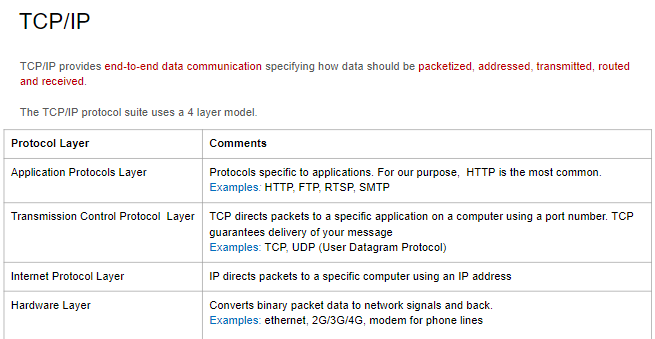
  • Topics Covered : TCP/IP , Protocols


IMAD Hasura — 8 Weeks Course

IMAD =Introduction to Modern Application Development

with so many projects in Pipeline of web development , and never sticking to any particular web technology for development I thought it will be a good to to Follow the IMAD Hasura — 8 Weeks tutorial of Building web apps to discover more technologies and learn something new 

A Quick Into about Hasura and IMAD 

IMAD 

IMAD is an online course that brings together a combination of theory and practice to convey the principles of building web applications. IMAD comes powered with:
  • video lectures
  • an app development portal for you to build your web application as you learn the concepts
  • a discussion forum for peer-to-peer learning
By the end of this 8 week course, you would have learnt about the Internet & the fundamentals of app-development while actually building your own web-application. On successful completion of the course, students will be eligible for an IIT Madras certification

Hasura

Hasura is cloud platform with moto -”Hasura is on a mission to make app development extremely easy and accessible to everyone.”
Can read more about Hasura at :
Based on the review and response from the the course they ran back in January this year (i saw few lectures of them myself but couldn’t follow up)
I think this course is quite good and a must for beginners especially the one looking to learn and build web apps :)