Showing posts with label Hardware. Show all posts

Tuesday, May 12, 2020

100 Days of Machine Learning Code Day 11

Day 11 : Finishing off with the  Week 1 of  "Improving Deep Neural Networks: Hyperparameter tuning, Regularization and Optimization" which included not 1 but 3 assignment notebooks on the topics of Initialization,Regularization  and Gradient checking


1. Topic  : Initalization , My notebook 

  • Understand that different initialization methods and their impact on your model performance
  • Implement zero initialization and and see it fails to "break symmetry",
  • Recognize that random initialization "breaks symmetry" and yields more efficient models,
  • use both random initialization and scaling to get even better training performance on model.

2.  Topic : Regularization , My notebook 

  • different regularization methods that could help  model.
  • Implement dropout and see it work on data.
  • Recognize that a model without regularization gives  a better accuracy on the training set but nor necessarily on the test set.
  • Understand that you could use both dropout and regularization on your model.
3. Topic : Gradient Checking , My Notebook
  • Implement gradient checking from scratch.
  • how to use the difference formula to check your backpropagation implementation.
  • Recognizing that  backpropagation algorithm should give you similar results as the ones you got by computing the difference formula.
  • how to identify which parameter's gradient was computed incorrectly.

Saturday, March 09, 2019

Changing to Speed Lane : Reliance Jio GigaFiber / JioFiber Installation and Setup


Jio 4g Tariff ....Airtel vs  Jio ....Fiber is Superior  ........[fast forward to present day] with Reliance Jio creating disruption in Indian Telecommunication space with Jio it was now the turn of Broadband a at home , being a heavy pc and data used I knew as soon as Jio would come to my locality I would switch to it as soon as possible because however good Airtel Service has been in my Area their offering has not been able to match with their competitions in past few years in Broadband space like Speed upto 100Mbps and Fiber Connectivity or Volte Service when all these services with  are offered by the competitors at smaller price ,so as soon as the booking for GigaFiber started I was among the first ones to signup

Registration : Refundable Installation fees of Rs 4500 (can be paid using Card, Paytm)along with copy of ID proof and photo if not using Aadhar with Online Receipt generated

Offer : initially 100Mbps Broadband with Unlimited Data , with addition of Landline and TV connection on same fiber as soon as it comes in testing phase or becomes available in my area and no Monthly Charges until the public roll-out of the service [expected in December of this year]

Timeline :

Day1 Sunday : Completed Registration and got SMS confirmation with Booking Number

Day2  Monday : Public Holiday

Day3 Tuesday : Installation Guy Came had to reschedule for later on customer care

Day4 : Installation was quick hardly took an hour , the fiber cable is super tin and flexible to install and mount on walls the wifi was up and running , after few hours of playing with router dashboard and doing some tests myself here are few observations


  • After Installation router takes about an hour to fetch and update to the  new dashboard and if Logged in before that into dashboard after update the dashboard will appear all broken so clear your cache
  • The Ping time was very high initially about 44 ms sometimes which reduced to 7ms  later 
  • Maybe its the crowded channel in my residence but device using only 2.4Ghz Band aren't able to get speed test reading past 60 Mbps even when sitting next to Router other devices on 5Ghz Channel  only are reaching max to 98Mbps
  • Couldn't find the setting to automatic schedule wifi to turn off at certain time at night 
  • When there is some network problem in  Jio Giga Fiber  from backend the essential websites [>_<]  whatsapp , facebook  , google , Instagram, youtube keep working but sites like Github , Twitter , Azure Portal , even my own domain did not load for a while on entire network but other sites worked perfectly 
  • There are no manuals or instruction to play around with the router yet online 
  • One thing I noticed with Jio Fiber is that the IP address is not reachable from outside even the iPv6 it's like a double NAT / Jio Firewall. It's not an issue for normal users but if you are planning to host a server that won't be reachable from outside .
  • [will update about it later ]FTP, VoIP , IPtv Service


Sunday, February 24, 2019

Repurpose/Reuse of Old Android Tablet of 2013 in 2019

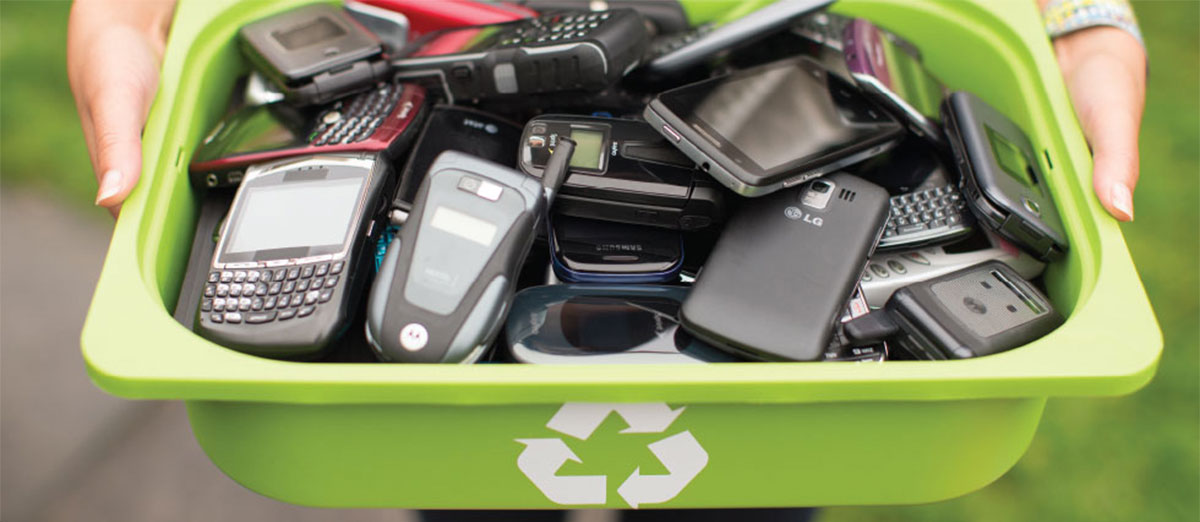
With New Advancements in both software and hardware technology the time gap for releasing new upgraded version of their products have reduced form yearly release to quarter for some manufacturers like [Xiaomi for eg] with new Lineup of Products with upgraded specifications launching every now and then with minor upgrades, Even the Reasonable Buyers have started to upgrade their  Phone , Tablets even before the Device has ran out of its software and Security Updates Guaranteed by the Manufacturer or any hardware fault  occurs, because of which in almost every household  in  India there is drawer somewhere getting filled with old smartphone and tablets with their chargers gathering dust with much of its life left

                                 Image result for recycling old phones

I too had a almost mint condition unused Android Tablet Lying around

Year of Manufacturing  : 2013
Android Version            :4.1 (Tone of Bloatware)
Battery                           :3100mah
Screen Size                    :7 Inch
Bluetooth Support         : Nope
Processor                       :ARM Cortex A-9
Storage                          :512 MB RAM | 8 GB ROM 

Step 1: Cleanup
-> Finding a custom ROM and flashing it is tedious and isn't worth the time so its better flash or reset the device first to factory settings and  download a root app like King ROOT or Super Root and root the Android and Remove all the Bloatware after reset , to Reduce Resource Consumption and Improve CPU Performance 

Step 2:Setting UP
-> Setting Up  , I won't recommend setting up Android account  or personal accounts in such old hardware, so do not sign with google ID  , better browse the internet and download the Lite or Mini Versions of the Essentials Apps .apk files and Install it  like UC mini for Web Browser , MX Player for VIdeo , Google Go apps Series for Google Services 

My Purpose was to use the Tablet for Reading Purpose So i used Lithium Epub Reader to read epub files  of ebooks and foxit PDF reader for PDF

Step 3: Transfering Data In and Out
-> with all the Apps set up its time to load the content if the content is available in the browser you are good to go but if you are Money saver who dont buy , or pay for Music, streaming services and use your Geeks Skills to get hands on the content [Try Telegram ;)] the best cross platform and Simultaneous Sync service and move content in and out with the use of Cloud  i would recommend using Telegram messenger for transfering Movies , pdf books and links across digital devices

Step 4: Switch off all the Non essential Settings
-> to reduce the battery drain and improve performance switch of settings like wifi scanning, check for software updates, and other irrelevant settings 


i have almost a dozen of different electrical devices which have a lot of their life left and can be reused for some other purpose until they die of their natural death and can be disposed of Properly [Will find a proper e-disposal and recycle service in my region] lets see which all device get resurrected :)

Here is the Pic of my New E Book Reader